





An app
- Advantage: smart dismissals with QR codes and pictures
- Drawback: easy to swipe away or delete

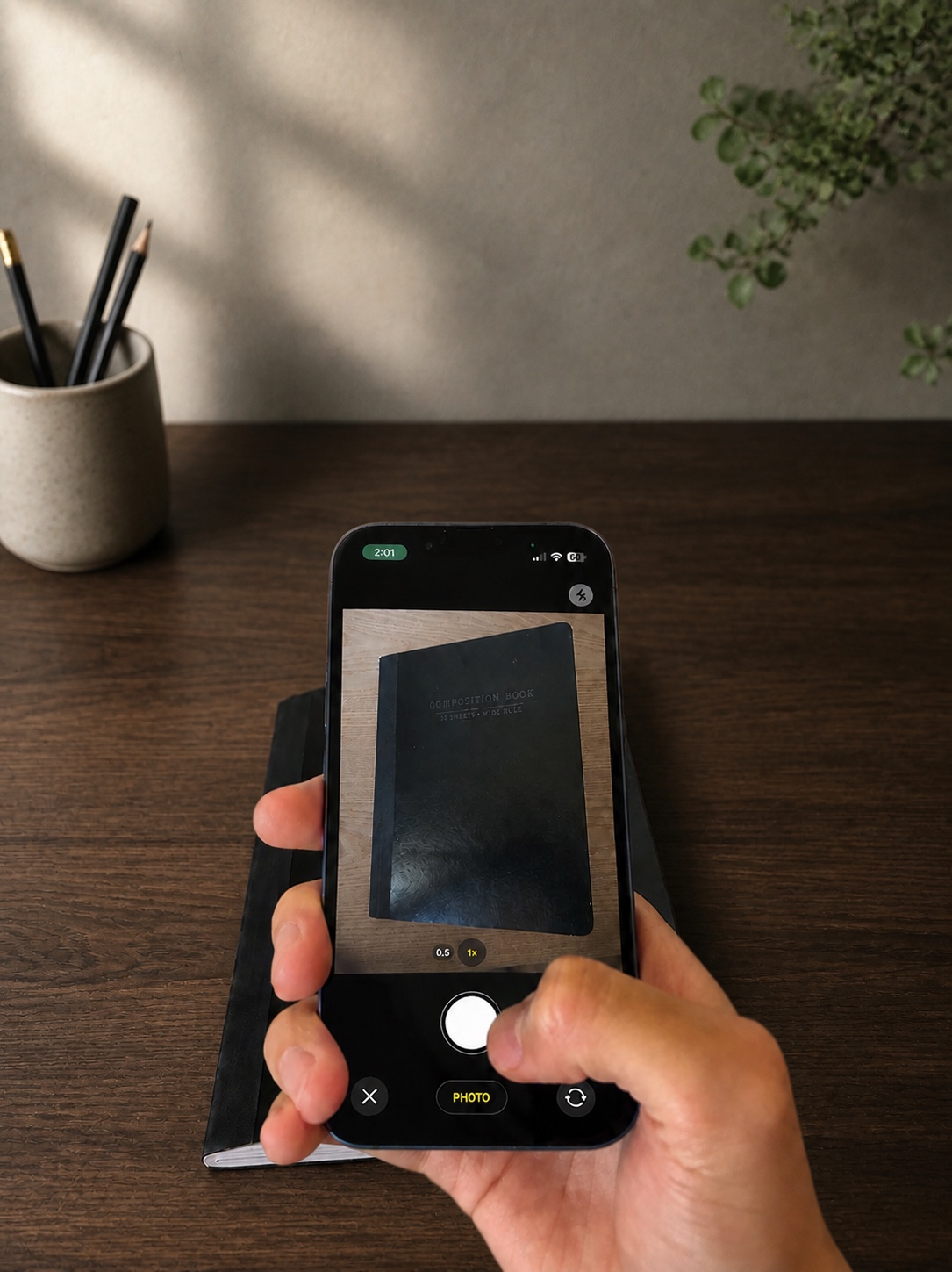
simple taps, scanning qr codes, or taking a picture to fit any situation
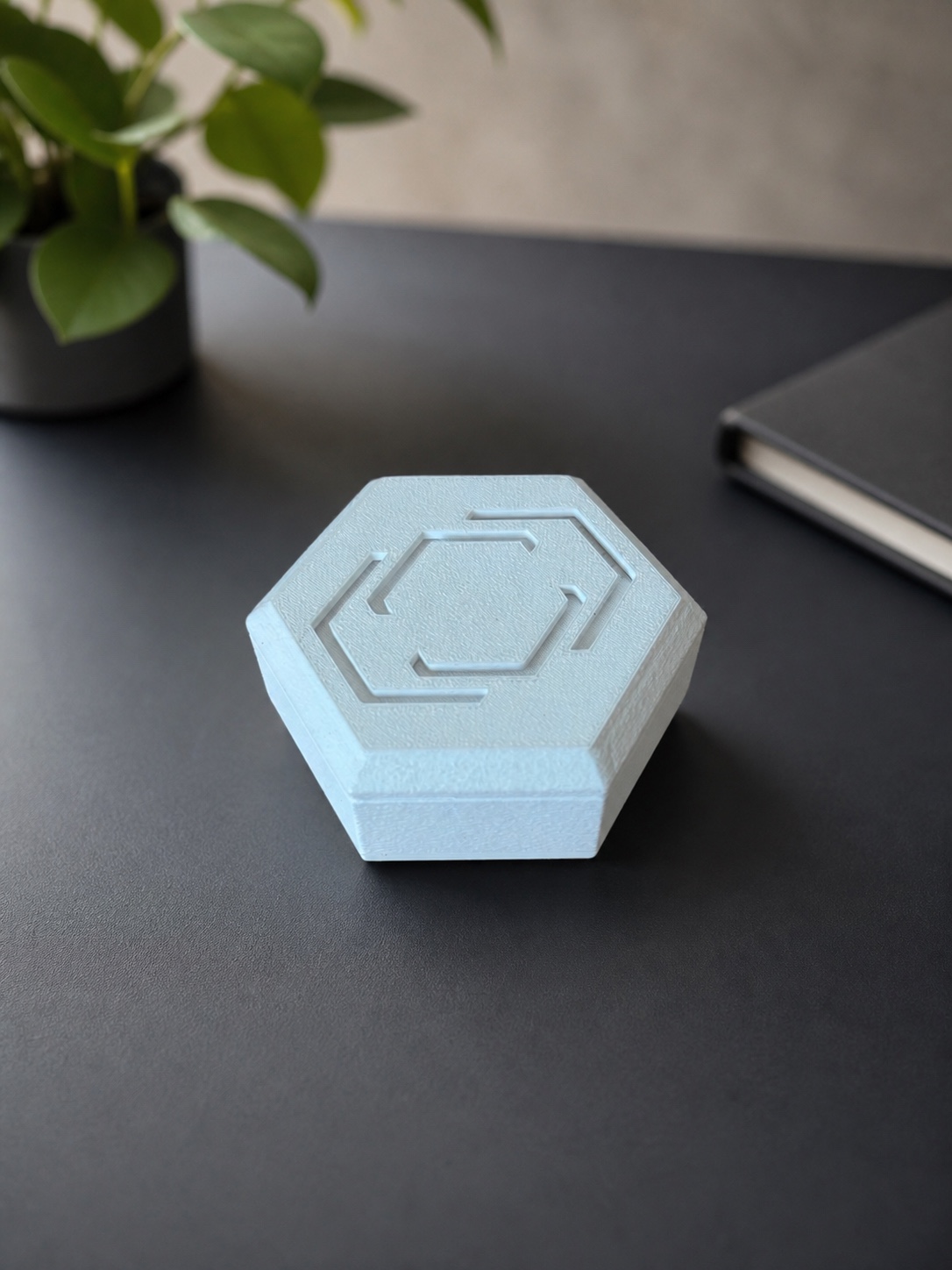
Can't be ignored. Can't be deleted. Can't be shut down. A reminder motivator to start
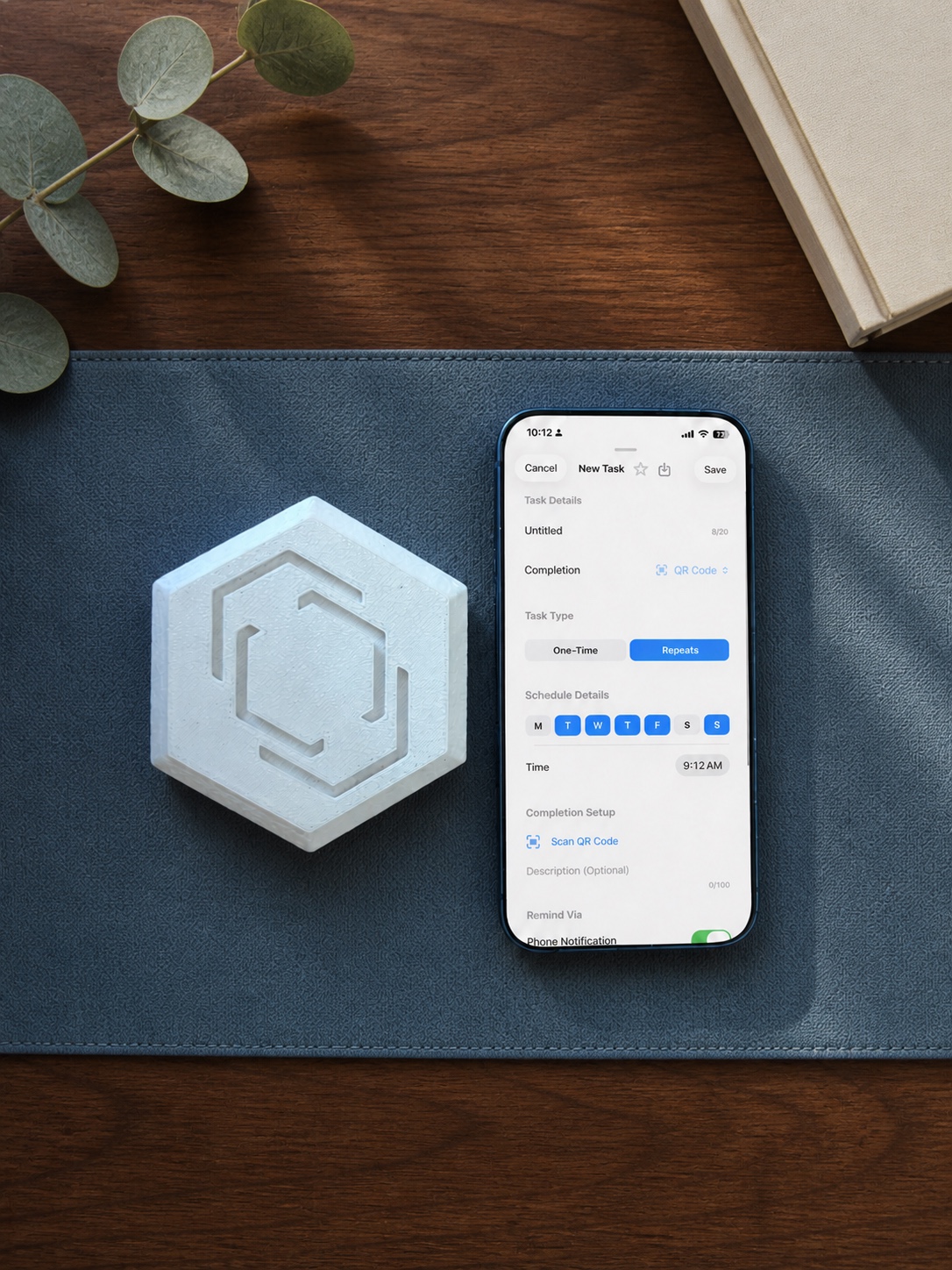
The Pestr iPhone app is a free download on the App Store. Pestr Photo, which unlocks Photo mode, is available as a monthly or yearly in-app subscription. The app supports compatible Pestr Alarm devices. Join the mailing list below for product updates.
Email updates require JavaScript.
Yes. On iOS 26 or later, where the task editor offers custom audio, you can use the default sound or import compatible audio. The selected audio is processed and stored locally on your iPhone. Phone notifications remain available on earlier supported iOS versions.
The task stays active according to the reminder settings you chose. Total Disarm stops active phone alarms, notifications, and Screen Time blocks; each app installation includes three lifetime uses.
When you create the task, you describe what the proof photo should show. When the task is active, the app resizes and compresses your photo, sends it with the description to Pestr's backend, and returns an automated match or no-match result from Google's Gemini API.
Timelapse capture can make progress visible and help you stay accountable during a task. The finished video stays on your iPhone until you save, share, or delete it and is not automatically uploaded to Pestr.
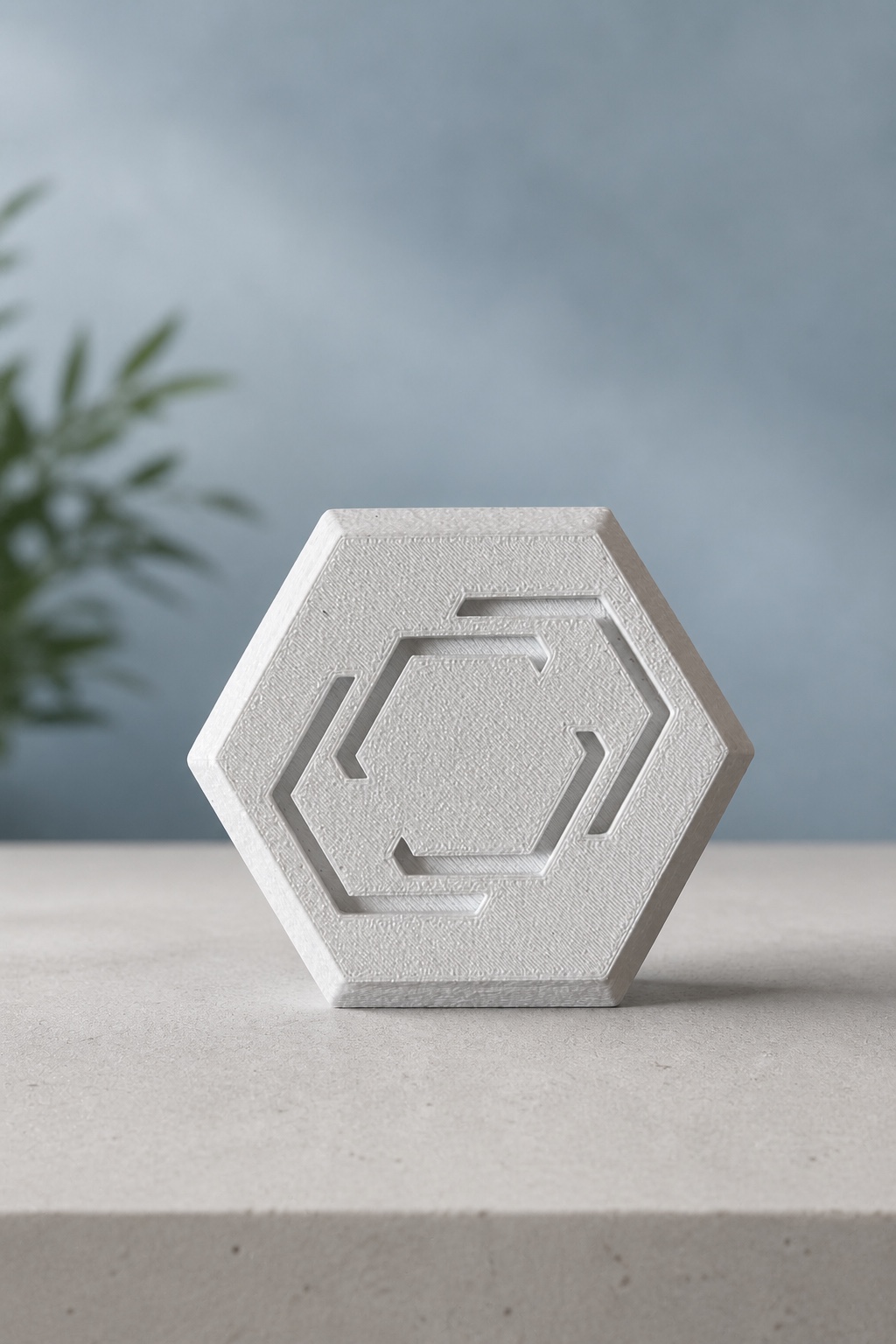
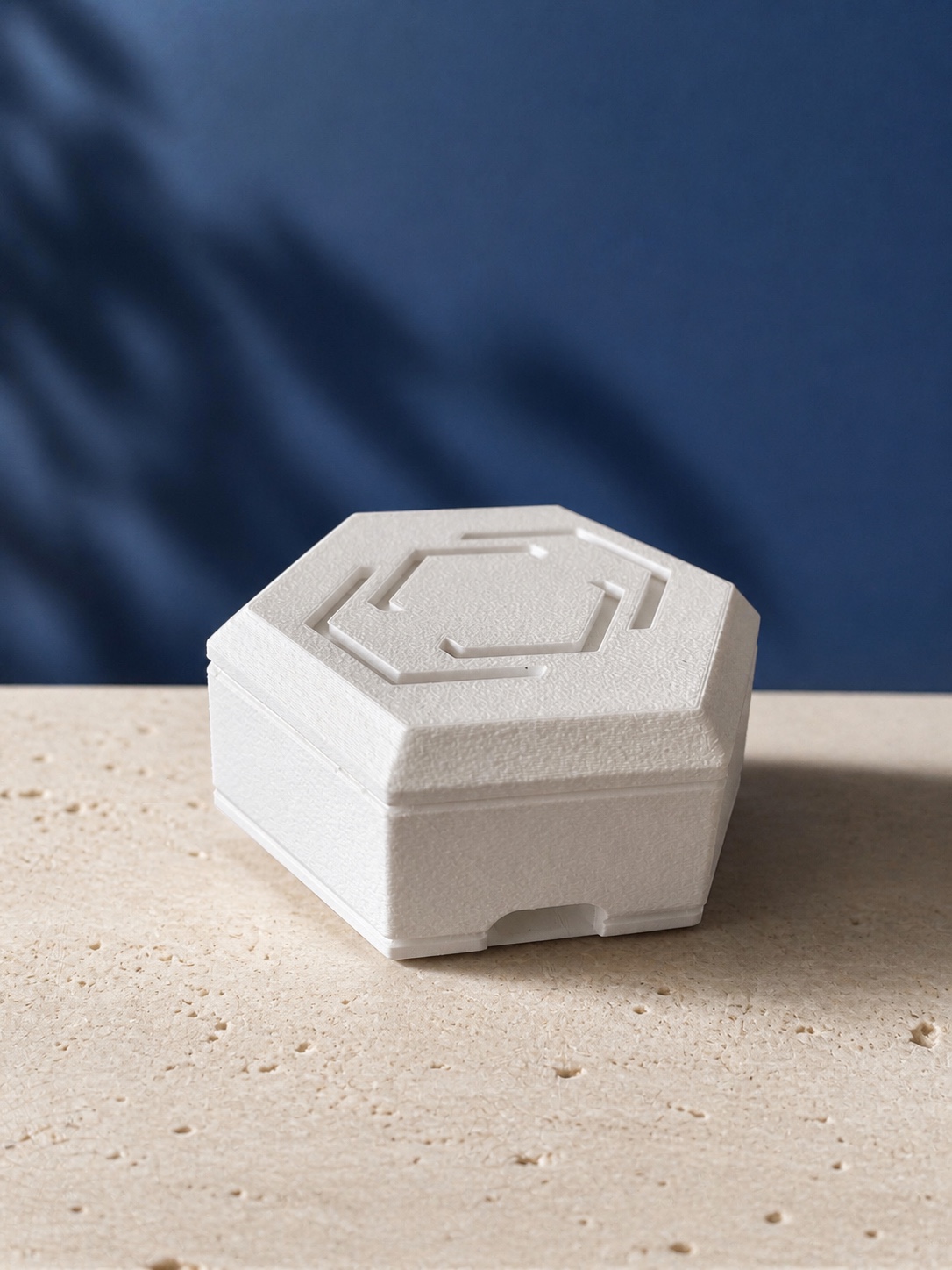
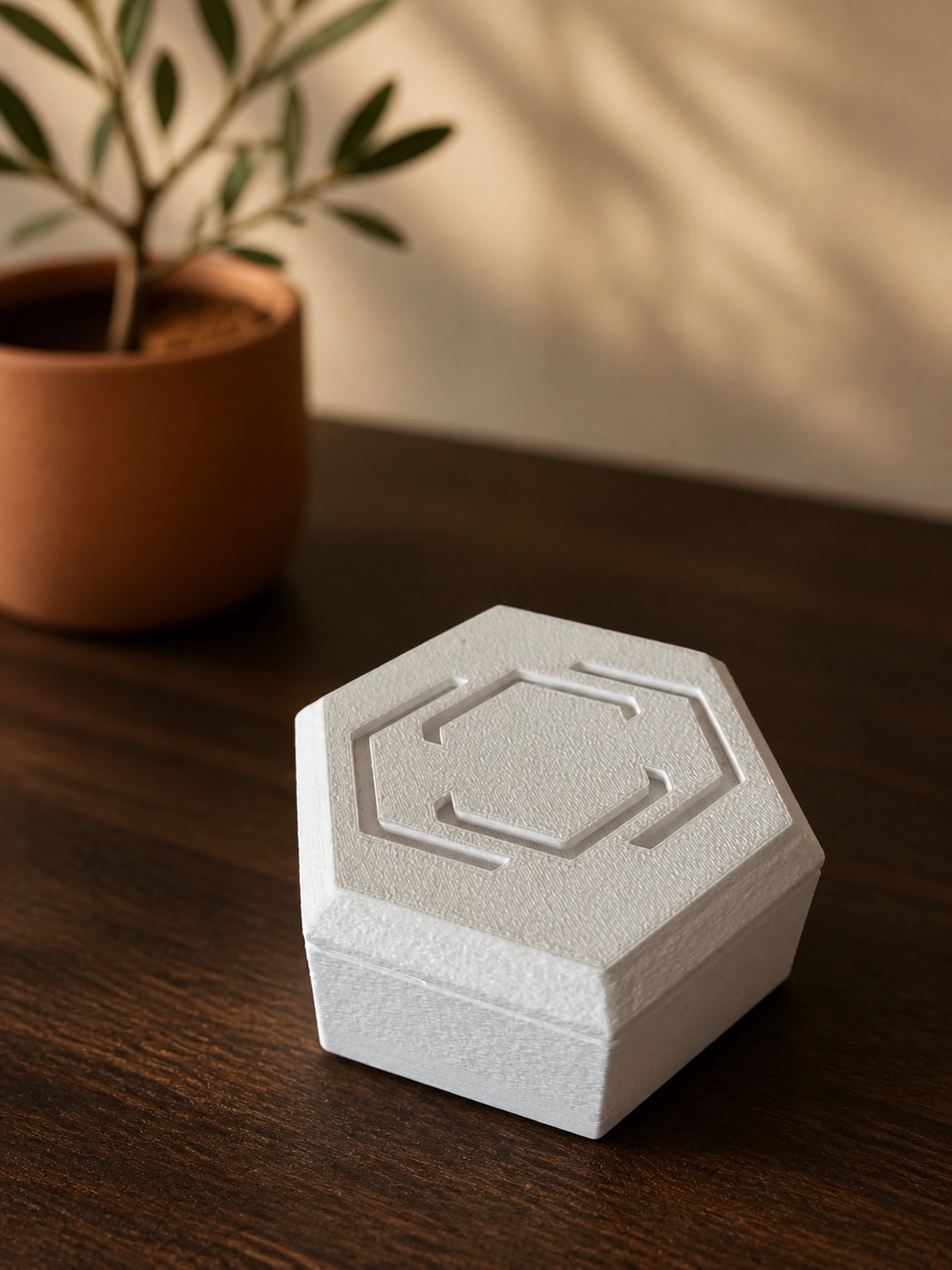

Showing photo 1 of 5: AH flat
do what you set out to do
Email updates require JavaScript.
Stay in the loop to get notified about updates regarding Pestr
Set schedules and dismissal methods on the Pestr app. The alarm will sound when it is time, making you go get what you set out to get. No excuses. No alternatives. Now, what you need to do is no longer an idea. It is right in front of you.
Time to do what you set out to do.
Along with the alarm, Pestr has additional features to improve your productivity. Use notifications or phone alarms when the physical device is too strong for a situation. Timelapses and app blocking help you stay focused and see your progress.
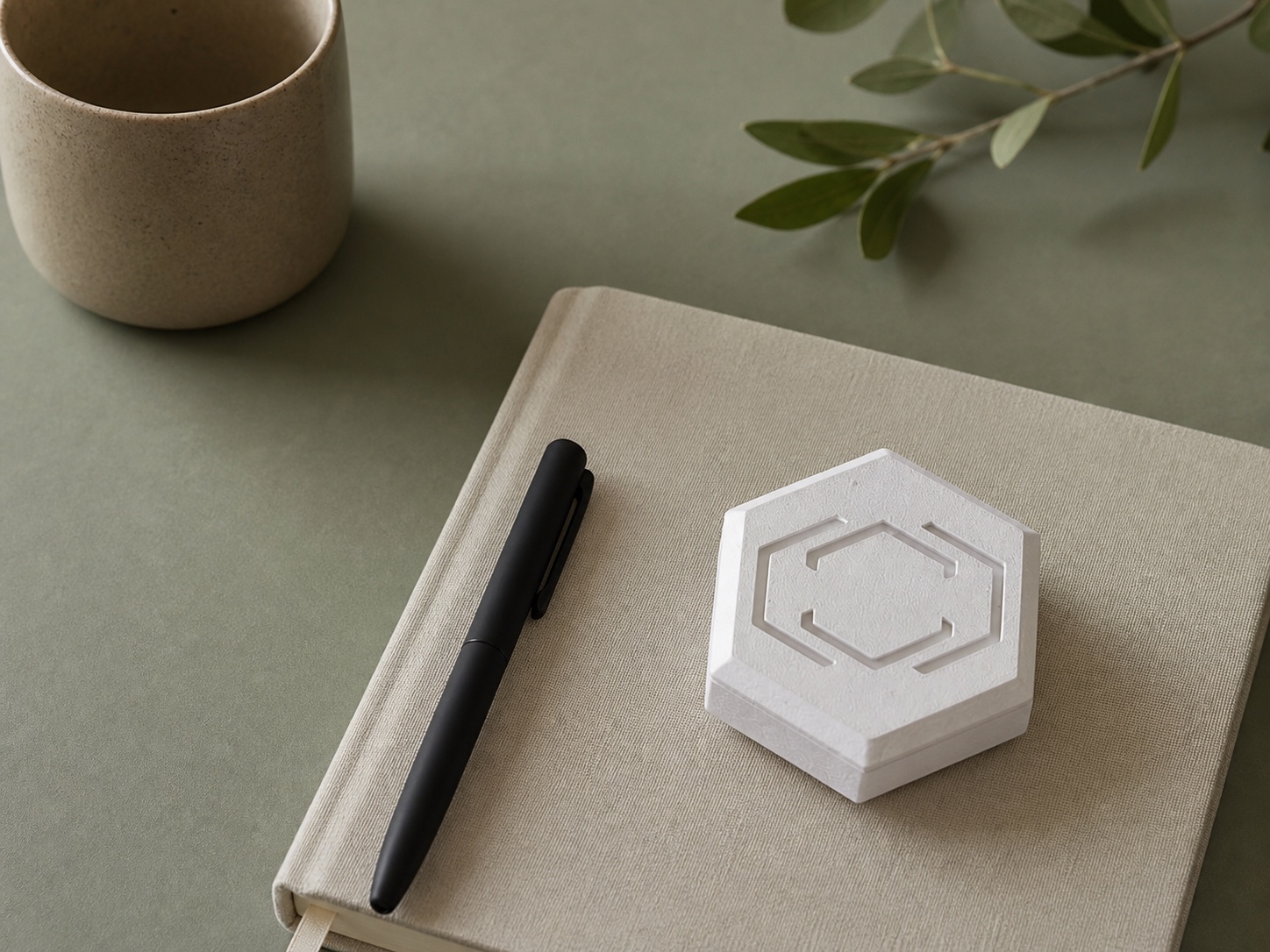
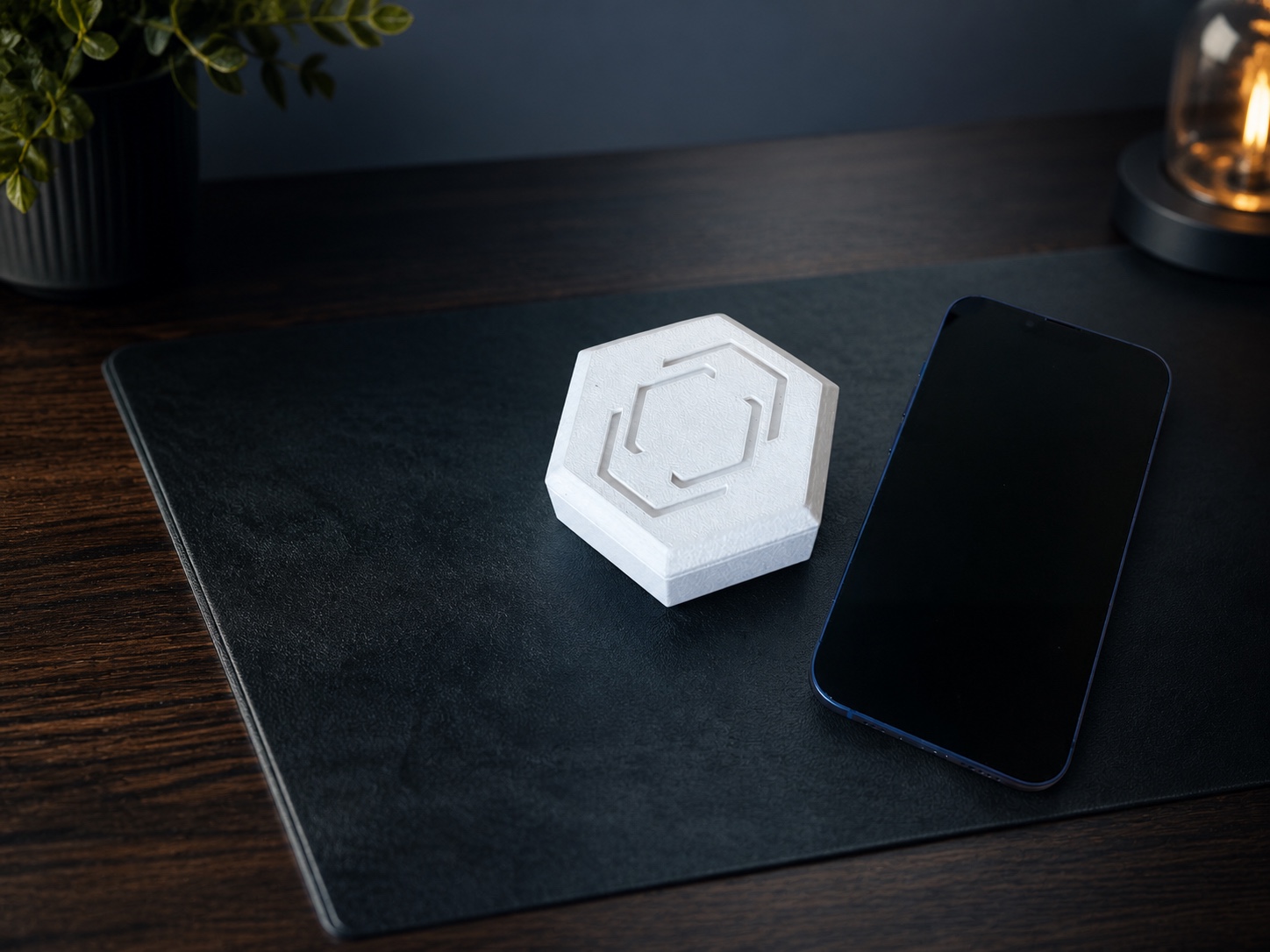
Bluetooth and Wi-fi allow you to manage it wherever you are. Made to easily set on a desk or shelf. A loud speaker makes sure you can't ignore it.


| Feature |
 Pestr
Pestr
|
Schedules and alarms |
App blockers |
|---|---|---|---|
| Physical | Yes | Partially | Partially |
| Hard to ignore | Yes | No | Partially |
| Reminds pushes you | Yes | No | No |
| Removes distractions | Yes | No | Yes |
| Proof of action | Yes | Partially | No |
The Pestr iPhone app is a free download on the App Store. Pestr Photo, which unlocks Photo mode, is available as a monthly or yearly in-app subscription. The app supports compatible Pestr Alarm devices. Join the mailing list below for product updates.
Email updates require JavaScript.
Yes. On iOS 26 or later, where the task editor offers custom audio, you can use the default sound or import compatible audio. The selected audio is processed and stored locally on your iPhone. Phone notifications remain available on earlier supported iOS versions.
The task stays active according to the reminder settings you chose. Total Disarm stops active phone alarms, notifications, and Screen Time blocks; each app installation includes three lifetime uses.
When you create the task, you describe what the proof photo should show. When the task is active, the app resizes and compresses your photo, sends it with the description to Pestr's backend, and returns an automated match or no-match result from Google's Gemini API.
Timelapse capture can make progress visible and help you stay accountable during a task. The finished video stays on your iPhone until you save, share, or delete it and is not automatically uploaded to Pestr.
If you have any questions, feedbacks, recommendations, or more, feel free to reach out to us!


We will try to respond to you as soon as possible
The Pestr iPhone app is a free download on the App Store. Pestr Photo, which unlocks Photo mode, is available as a monthly or yearly in-app subscription. The app supports compatible Pestr Alarm devices. Join the mailing list below for product updates.
Email updates require JavaScript.
Yes. On iOS 26 or later, where the task editor offers custom audio, you can use the default sound or import compatible audio. The selected audio is processed and stored locally on your iPhone. Phone notifications remain available on earlier supported iOS versions.
The task stays active according to the reminder settings you chose. Total Disarm stops active phone alarms, notifications, and Screen Time blocks; each app installation includes three lifetime uses.
Photo mode is for users age 18 or older. When you create the task, you describe what the proof photo should show. When the task is active, the app resizes and compresses your photo, sends it with the description to Pestr's backend, and returns an automated match or no-match result from Google's Gemini API.
Timelapse capture can make progress visible and help you stay accountable during a task. The finished video stays on your iPhone until you save, share, or delete it and is not automatically uploaded to Pestr.
Pestr offers three: tapping for a simple dismissal, scanning a saved QR code or barcode, and taking a picture that matches a description you provided.
The app sends the photo and description over an encrypted connection to Pestr's Supabase-hosted validation endpoint, which uses Google's Gemini API. Pestr does not intentionally save the image in its app database or backend file storage after validation.
Google's retention, review, and model-improvement treatment depends on the API plan and configuration used by Pestr. See the Gemini API Terms and our Privacy Policy. Do not submit sensitive or confidential material; use QR mode instead if you do not want to send a photo to a cloud service.
No. Pestr's iPhone features work without physical hardware. You can also pair a compatible Pestr Alarm for device alarms and controls.
Most task features work without internet after setup. Signing in or recovering an account, using Profile or Friends, syncing Friend productivity summaries, sending gifts, Photo validation, device-benefit activation, firmware delivery, and App Store purchases or restores need a connection. The iPhone also uses a local Wi-Fi connection to pair with and control a compatible Pestr Alarm.
Most task content—including task titles, QR references, Screen Time selections, and timelapse videos—stays on your iPhone. You can sign in with email and password, Google, or Apple, or use core local features while signed out. A completed Profile syncs current and highest streak plus timelapse identifiers, start times, and durations for the Friend metrics you choose to share; it does not upload full tasks or timelapse videos. A protected signed-out feature may use an internal anonymous service identifier, which you can reset in the app.
Deleting an account, resetting signed-out service data, deleting the app, unsubscribing from emails, and canceling an Apple subscription are separate actions. See the Privacy Policy for details.
Not currently. The released app is built for iPhone and iOS. We have not announced an Android release date.
The app is free. Pestr Photo is an optional monthly or yearly auto-renewing App Store subscription that unlocks Photo mode. An eligible Pestr Alarm includes one complimentary year of Pestr Photo. After activation, the eligible owner may also gift one month to up to three different accepted Friends over that alarm's lifetime; each successful gift adds one month for the giver too. The App Store purchase screen shows the current localized price before you buy.
Effective date: July 2, 2026
Last updated: August 31, 2026
These Terms of Service ("Terms") govern your use of the Pestr website, iPhone app, Pestr Alarm device and firmware, backend services, mailing list, and related support (together, the "Services"). By using the Services, you agree to these Terms. If you do not agree, do not use the Services.
You must be legally able to enter into these Terms. If you have not reached the age of legal majority where you live, a parent or legal guardian must agree to these Terms for you. You must be at least 18 years old to use Photo mode. If you use the Services for an organization, you represent that you have authority to bind it.
The iPhone app lets you sign in with email and password, Google, or Apple. A new email-and-password account must confirm its address with the six-digit code Pestr sends before it can sign in. A signed-in Pestr account authenticates protected backend requests and can enable a Profile, Friends, eligible gifting, limited Friend productivity summaries, and device-benefit activation. Signing in does not upload full tasks or timelapse videos.
The website provides product information, an App Store link, and an optional mailing list, but no checkout or user login. Joining the website mailing list does not create an app account. The optional product-update checkbox shown during initial Profile setup is separate from account creation and is not required to use Pestr.
Core app features can work locally without signing in. Signing in, account confirmation and recovery, Photo validation, Profile and Friend features, productivity-summary sync, device-benefit activation, gifting, firmware delivery, and App Store purchases or restores require network access. Protected signed-out requests may use a random internal anonymous service identifier. That identifier is not a separate user-facing Profile or guest account and cannot activate the included device year or send gifts.
We may change, suspend, or discontinue a feature when reasonably necessary for security, legal, operational, or product reasons. Where practical, we will avoid unnecessarily removing already-paid access.
Subject to these Terms and applicable App Store terms, Pestr grants you a limited, personal, revocable, non-exclusive, non-transferable license to use the app and firmware on compatible devices for their intended purpose.
Pestr and its licensors own the Services, software, firmware, design, branding, documentation, and related intellectual property. No ownership is transferred to you.
You may not copy, modify, distribute, sell, lease, sublicense, reverse engineer, bypass security or usage controls, extract device secrets, interfere with the Services, submit fraudulent device claims, manipulate productivity or gift records, misuse backend endpoints, or use the Services to violate law or another person's rights, except where a restriction is prohibited by law.
You are responsible for:
Do not use Pestr to harass, surveil, spam, coerce, deceive, punish, or control another person, or as an emergency, medical, safety-critical, or life-support system.
A Pestr Profile uses a unique username and selected icon. Your Profile is not published on the open web, but another signed-in Profile that knows your exact username can use it to send a Friend request. Pestr does not verify real-world identity, so a username, Friend request, or accepted connection is not proof of who a person is. You are responsible for deciding whom to accept and what to share.
Accepted Friends can see usernames, Profile icons, friendship dates, and any productivity categories enabled by each person's sharing controls. When Share streak is on, Friends may see current and highest streaks. When Share total hours is on, Friends may see daily, weekly, monthly, and all-time timelapse durations and related rankings. These values are based on limited synced metadata and may be delayed, incomplete, or inaccurate. Turning sharing off hides a category from Friends but does not delete the underlying summary. Removing a Friend stops future Friend-only visibility after the Services process the change, but does not undo a completed gift.
Pestr may reject, restrict, rename, suspend, or remove Profiles, requests, connections, or related access when reasonably necessary to address impersonation, harassment, fraud, abuse, security, legal, or operational risk. Pestr does not promise to monitor all Profile or Friend activity.
Device-bound gifts are promotional benefits, not payments between users. The current eligible alarm owner may gift one month of Pestr Photo to up to three different accepted Friends over that physical alarm's lifetime. Each recipient may receive only one gift from that physical alarm. Each successful gift also adds one month to the giver's Pestr Photo access. A gift has no cash value, cannot be sold or exchanged, and ordinarily cannot be reversed after it is issued. Removing a Friend, changing a username, transferring the alarm, or changing or deleting an account does not restore the physical alarm's consumed gift budget. Deleting an account may end promotional access attached to that account.
Reminders, AlarmKit alarms, notifications, Screen Time shields, QR checks, Photo checks, timelapses, Total Disarm, local-network connections, Pestr Alarm schedules and speakers, battery reporting, Wi-Fi, firmware updates, backend services, Friend features, productivity summaries, gifts, and local storage can fail, be delayed, be inaccurate, or become unavailable because of permissions, volume, Focus settings, battery level, connectivity, distance, interference, operating-system behavior, app termination, setup, storage limits, third-party outages, hardware faults, or software errors.
Pestr is a productivity aid, not a guarantee that a task will start, sound, block an app, be completed, or be verified. Total Disarm and similar controls can weaken a reminder. You remain responsible for important obligations and for using backup alarms where missed timing could cause harm.
You must be at least 18 years old to use Photo mode. Photo verification sends a captured image and your task description through your current Pestr service session to a Pestr endpoint that uses Google's Gemini API for an automated match decision. Pestr does not intentionally persist the image in its application database or backend file storage after validation. Google and infrastructure providers may retain inputs, outputs, and related safety or technical records under their applicable terms and Pestr's service configuration.
Automated results can be wrong. Do not use Photo or QR mode for identity verification, access control, legal compliance, safety decisions, or proof on which another person must rely. Do not submit sensitive, confidential, unlawful, infringing, or third-party personal content. Use tap or QR mode if you do not want to send a photo to a cloud service.
Timelapses remain local unless you choose to share them. Limited timelapse metadata may be included in the productivity-summary sync described in Section 5, but titles, descriptions, and video files are not uploaded for that feature. Imported audio may be copied or converted on the iPhone and transferred to a paired Pestr Alarm.
You keep ownership of your original content and grant Pestr and its service providers only the limited rights needed to host, transmit, process, display, and protect content or metadata you submit through the Services.
Deleting an original file or the app may not delete media already stored on the physical alarm. Remove it separately or reset the alarm.
Use only supported devices, firmware, accessories, power sources, and update methods. Do not interrupt an update, install untrusted firmware, expose an owner or device secret, or attempt to defeat pairing, device-benefit verification, gift limits, or firmware integrity controls.
During a temporary setup window, the alarm creates a Wi-Fi network that the iPhone can join. If you pair while using a completed Profile, the app may use part of your username in the alarm's display name and setup-network name, which can be visible to nearby devices while the setup network is active. Do not choose a username you would not want used in that temporary network name.
If you provide home Wi-Fi credentials, you direct the app to transmit them to the paired alarm and the alarm to encrypt and store them locally. Configure only networks you are authorized to use. Unpair or reset the alarm before selling, giving away, returning, or disposing of it, and remove custom audio, network credentials, and device names separately when needed.
The alarm is not a backup for full task content. Unpairing, resetting, storage failure, or certain repair operations can erase schedules, settings, credentials, or media. Normal supported firmware updates are designed to preserve them, but you should not rely on the alarm as the only copy of important information.
The app is free. Pestr Photo is offered as monthly and yearly auto-renewing subscriptions through Apple's App Store. Apple displays and processes the price, renewal period, taxes, cancellation, refund, and billing terms. Manage or cancel a subscription through your Apple account settings; deleting the app or your Pestr account does not cancel it.
An eligible Pestr Alarm may include one complimentary year of Pestr Photo. Activation requires a paired eligible alarm, network access, a completed signed-in Pestr Profile, and successful cryptographic verification. The one-year period begins with the first successful activation, has no cash value, is tied to the eligible physical alarm, cannot be resold, and does not restart or extend when the alarm is re-verified. If the alarm is transferred and successfully claimed by a different eligible Profile, the remaining fixed device benefit may move with it; the previous owner's device-based access then ends unless that person has another valid entitlement. The included year itself cannot be divided or gifted. The separate three-recipient promotional gift described in Section 5 becomes available only when Pestr can verify the alarm and current owner are eligible.
App Store subscriptions, the included year, and promotional months may be subject to separate platform or offer rules. If more than one entitlement is present, the app determines access from the valid entitlements it can verify. An included year or promotional month does not automatically change Apple's billing schedule.
The Services depend on Supabase, Google (including Google Sign-In and Gemini), Apple (including Sign in with Apple, the App Store, and iOS services), Cloudflare, Resend, internet access, and device or operating-system features. Their terms and privacy policies apply to their services. Pestr is not responsible for a third party's independent service, outage, billing decision, policy, or processing, to the extent permitted by law.
You may sign out, delete your Pestr account, reset signed-out service data, stop using the Services, delete the app, remove Friend connections, unpair or reset the alarm, unsubscribe from product updates, and cancel App Store subscriptions through Apple. These are separate actions. Deleting a Pestr account does not cancel an App Store subscription, unsubscribe an email address from product updates, or automatically erase local or on-alarm data. A device-bound gift ledger may remain after account deletion to preserve the physical alarm's permanent gift limit and previously granted benefits, as explained in the Privacy Policy.
We may suspend or delete accounts or Profiles, restrict social, backend, or device-benefit access, invalidate sessions or tokens, reject claims or gifts, or remove prohibited content if necessary to address fraud, abuse, security, legal, payment, or operational risk. Local features that do not require the backend may continue, but compatibility is not guaranteed.
To the fullest extent permitted by law, the Services are provided "as is" and "as available." Pestr disclaims warranties of merchantability, fitness for a particular purpose, title, non-infringement, accuracy, uninterrupted operation, and error-free operation. Some jurisdictions do not allow certain disclaimers, so some may not apply to you.
To the fullest extent permitted by law, Pestr and its suppliers will not be liable for indirect, incidental, special, consequential, exemplary, or punitive damages, or for lost profits, data, opportunities, goodwill, or business interruption arising from the Services.
Where liability cannot be excluded, Pestr's total liability for claims relating to the Services will not exceed the greater of the amount you paid to Pestr for the Services during the 12 months before the event giving rise to the claim or US $50. These limits do not apply where prohibited by law or to liability that cannot lawfully be limited.
To the extent permitted by law, you agree to defend, indemnify, and hold harmless Pestr and its personnel from third-party claims arising from your unlawful misuse of the Services, violation of these Terms, or infringement of another person's rights. This does not apply to the extent a claim results from Pestr's own unlawful conduct.
These Terms are governed by the laws of the State of California, without regard to conflict-of-law principles, except where your local consumer law requires otherwise. Courts located in California will have jurisdiction unless applicable law gives you the right to bring a claim elsewhere.
Before filing a formal claim, contact app.pestr@gmail.com and describe the issue so we can try to resolve it informally. Nothing in these Terms prevents either party from seeking urgent injunctive relief or using an available small-claims process.
We may update these Terms as the Services or law changes. We will revise the date above and provide additional notice when required. Continuing to use the Services after updated Terms take effect means you accept them, except where law requires another form of consent.
Email: app.pestr@gmail.com
Effective date: July 2, 2026
Last updated: August 31, 2026
Pestr ("Pestr," "we," "us," or "our") provides the Pestr website, iPhone app, Pestr Alarm device and firmware, backend services, mailing list, and support (together, the "Services"). This Privacy Policy explains what information is processed when you use the Services.
This Policy applies to the Pestr website, iPhone app, Pestr Alarm device and firmware, Pestr-operated backend services, mailing list, and communications with us. It does not govern third-party websites, app stores, APIs, or services that we do not control.
The iPhone app lets you sign in with email and password, Google, or Apple. Signing in can enable a Profile, Friends, limited Friend productivity sharing, eligible promotional gifting, and device-benefit activation, but it does not upload full task records or timelapse videos. Before sign-in, a protected online feature may use an internal anonymous service session as described below; this is not a separate user-facing account mode. The website provides product information, an App Store link, and an optional mailing list, but no checkout or user login. Website mailing-list signup is separate from app account creation. During initial Profile setup, you may separately and optionally request the same category of Pestr product updates.
You may sign in with email and password, Google, or Apple.
If you create a Profile, Pestr and Supabase process your unique username, selected profile icon, Friend-sharing settings, Profile creation and update timestamps, and account identifier. Your username and profile icon are not public on the open web, but another signed-in Profile that knows your exact username can use it to send you a Friend request. People involved in a Friend request can see the other person's username and profile icon. Accepted Friends can also see when the friendship began.
Pestr processes incoming and outgoing Friend requests, accepted Friend connections, request and acceptance timestamps, cancellations, removals, and related anti-abuse records. Pestr does not verify that a username represents a person's real-world identity.
If a completed Profile owns this installation's local history, the app syncs a limited productivity summary to Supabase: current and highest streak values and, for each timelapse, a random identifier, start time, and duration. It does not upload task titles, task descriptions, schedules, completion records, QR references, timelapse titles or descriptions, or timelapse video files for this feature. If your Share streak setting is on, accepted Friends can see your current and highest streak. If Share total hours is on, accepted Friends can see daily, weekly, monthly, and all-time timelapse durations and related rankings. Turning a sharing control off hides that category from Friends but does not stop or delete the underlying limited summary sync.
For eligible Pestr Alarm gifting, Pestr and Supabase process the physical alarm identifier, current owner account, giver and recipient account identifiers, recipient username, gift timestamp, benefit expirations, number of gifts used or remaining, and whether that alarm has already gifted a particular recipient. Each successful gift is reflected in the recipient's and giver's Pestr Photo entitlement records. The alarm identifier and gift ledger are used to enforce the physical alarm's lifetime gift limit even if the alarm changes owners or an account is deleted.
Most task information stays on your iPhone, including:
This information is stored in the app's private container, UserDefaults, the iPhone Keychain, or the shared app group used by Pestr's Screen Time extensions. Except for the limited productivity summary described above, signing in does not upload or synchronize this local information. Apple and iOS may process local information for backups, notifications, alarms, Screen Time, local networking, Keychain, file and media pickers, and other platform features according to your settings and Apple's terms.
Photo mode is not facial recognition and is not intended to identify a person. Photo mode is intended only for users who are at least 18 years old.
The iPhone app and Pestr Alarm may exchange pairing identifiers and owner secrets, alarm schedules and identifiers, settings, custom audio, device status, diagnostics, battery information, firmware information, and dismissal events over authenticated local Wi-Fi connections.
During a temporary setup window, the alarm creates a setup Wi-Fi network that the iPhone can join. If you pair while signed in to a completed Profile, the app may use part of your Profile username in the alarm's display name and setup-network name, such as "username's Pestr Alarm." A setup-network name can be visible to nearby devices while that network is active. Signing out can cause the app to restore the generic alarm name when it next has an authenticated connection to the alarm.
Nearby Wi-Fi scanning is performed by the alarm. The alarm sends network names, signal strength, and security type to the paired iPhone for display. When you choose a network, the app sends its name and password to the alarm over its authenticated setup connection. The app clears the password after sending it and does not intentionally save it. The alarm encrypts and stores the credentials locally for reconnection. Pestr does not intentionally upload your Wi-Fi password to its backend.
A firmware check sends the alarm's device identifier, hardware model, and installed firmware version and build to a Pestr endpoint hosted on Supabase. The service also receives standard connection information such as IP address and may create a short-lived download token and limited anti-abuse records.
If a device-benefit activation succeeds or encounters certain errors, the app may send attempt and challenge identifiers, the alarm identifier, activation phase and result, app and firmware versions and builds, network frame or message byte counts, response type, and identifier-match results to Pestr. These activation diagnostics are associated with the current account and alarm but are designed to exclude authentication tokens, Wi-Fi credentials, cryptographic nonces and proofs, and raw command or response bodies.
The current app does not include a general advertising or analytics SDK. Pestr does not sell personal information, share it with data brokers, combine app data with third-party data for advertising, or use it to track you across other companies' apps or websites.
Depending on the features you choose, the app may request camera, notification, alarm, Screen Time / Family Controls, local-network, and setup Wi-Fi access. System file and media pickers let you choose specific files. You can change permissions in iOS Settings; disabling a permission may disable the related feature.
We use information to:
We disclose information only as needed to operate the Services, at your direction, for legal or safety reasons, or as part of a business transfer subject to appropriate protections.
Supabase provides account authentication, anonymous service sessions, database, Edge Function, firmware-storage, and mailing-list record services. Google provides Google Sign-In, Gemini image validation, and website fonts. Apple provides Sign in with Apple, app distribution, purchases, operating-system services, notifications, alarms, Screen Time, local networking and setup Wi-Fi configuration, Keychain, and media pickers. Cloudflare provides the Turnstile anti-abuse check. Resend provides transactional account email, mailing-list confirmation, contact management, delivery, and broadcasts.
We require providers processing information for Pestr to use it only for permitted purposes and to protect it consistently with this Policy, subject to their applicable terms and our agreements. We do not sell personal information, share it for cross-context behavioral advertising, or knowingly disclose it to data brokers.
Use the in-app Delete account control to initiate deletion of your signed-in Pestr account. While signed out, use Reset signed-out service data to delete the current internal anonymous service identifier and its associated server data; Pestr creates a new identifier if a protected signed-out feature is used later. You may also email app.pestr@gmail.com for another privacy request.
Deleting a Pestr account does not delete local tasks or media, cancel an App Store subscription, unsubscribe from product updates, delete data stored on a Pestr Alarm, or delete your Google or Apple account; those actions must be handled separately. We may need information sufficient to locate and verify a requested record. Because an anonymous service session contains no contact information, some records may not be identifiable as yours without the relevant alarm or session details.
You can choose email-and-password, Google, or Apple sign-in; use core local features without signing in; sign out; delete your Pestr account; reset signed-out service data; manage provider permissions through Google or Apple; manage iOS permissions; control which productivity metrics accepted Friends can see; cancel or remove Friend connections and requests; delete local tasks and media using available controls; reset or unpair a Pestr Alarm; cancel App Store subscriptions through Apple; leave the optional mailing-list checkbox off; unsubscribe from any mailing-list email; and contact us about privacy requests.
Depending on where you live, you may have rights to request access to, correction of, deletion of, or a copy of personal information, or to object to or restrict certain processing. We may need to verify your request, and exceptions may apply. Pestr will not discriminate against you for exercising an applicable privacy right. Because Pestr does not sell personal information or share it for cross-context behavioral advertising, it does not offer a sale or sharing opt-out.
We use measures designed to protect information, including encrypted network transport, backend access controls, Keychain storage for session tokens and device owner secrets, authenticated local pairing sessions, encrypted local Wi-Fi credential storage on supported firmware, cryptographic device verification, firmware integrity controls, and rate limits. No method is completely secure.
The Services are not directed to children under 13, and we do not knowingly collect personal information from a child under 13. Photo mode is intended only for users who are at least 18 years old. If you believe a child has provided personal information, contact us so we can review and delete it where appropriate.
Providers may process information in the United States and other countries where privacy laws differ. Where required, we use legally recognized safeguards for transfers.
We may update this Policy as the Services or law changes. We will revise the date above and provide additional notice when required.
Email: app.pestr@gmail.com